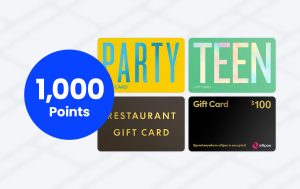
TCN Restaurant gift cards are merchant category restricted gift cards produced by The Card Network (TCN). TCN Restaurant gift cards are not to be confused with Restaurant Choice gift cards which are produced by a competing company.
Summary
You can:
- Use TCN Restaurant gift cards at almost any restaurant or eating place
- Convert your physical gift card into a digital gift card that can be added to your mobile wallet
- Occasionally save 10% or earn 20x rewards points on TCN Restaurant gift cards
You cannot:
- Officially use the TCN Restaurant gift card at fast food restaurants but this doesn’t appear to be enforced
Supported merchant categories
The TCN Restaurant gift card isn’t just limited to specific restaurants that have partnered with the card. Instead, it’s like a prepaid gift card that is set accept any transaction that uses one of the following merchant category codes (MCCs):
- 5812: Eating Places, Restaurants
- 5813: Bars, Cocktail Lounges, Discotheques, Nightclubs, and Taverns: Drinking Places (Alcoholic Beverages)
Notably absent from that list is the MCC for fast food (5814) as TCN specifically state that “the card is not valid at venues that are designated by their merchant category code as Fast food or quick service restaurants”.
However, despite not being officially supported, the TCN Restaurant gift card has been known to accept fast food restaurants as well as several other merchant category codes:
- 5462: Bakeries
- 5811: Caterers
- 5814: Fast Food Restaurants
- 7011: Lodging: Hotels, Motels, Resorts: not elsewhere classified
- 7997: Clubs: Country Clubs, Membership (Athletic, Recreation, Sports), Private Golf Courses
Check the Merchant Database for a list of businesses where the TCN Restaurant gift card has been tested and found to work.
How to use TCN Restaurant gift cards
You don’t need to tell the restaurant that you’re paying with a TCN Restaurant gift card as it should just work. If you ask them first, there’s a chance they may say no just because they’re unfamiliar with how merchant category gift cards work.
To use a physical TCN Restaurant gift card, swipe it at the payment terminal, select Savings and then enter the four digit PIN found on the back of the card. Note that some payment readers (e.g. Square) won’t accept physical TCN Restaurant cards because they don’t have a chip.
For that reason, it’s recommended that you convert your physical card into a digital one via the Choice.Gift website. If you’re having trouble converting your card, try registering it first as that usually fixes the issue.
Digital TCN Restaurant gift cards can be managed via the TCN app where you can monitor your balance, reveal the card details and add it to your mobile wallet (e.g. Apple Pay, Google Pay).
To use a digital TCN Restaurant gift card for an in-restaurant transaction, add it to your mobile wallet and then simply tap your phone on the payment reader like you would for any other purchase.
If you don’t have enough of a balance on your card to cover an in-person purchase, you will have to ask if you can pay $X.XX on one card and the remainder on another. Some restaurants will be happy to do this but others may not be so willing.
You can also use your TCN Restaurant gift card online either by entering the card number, expiry and CVV (found in the TCN app) or by checking out with Apple Pay or Google Pay if the merchant supports mobile payments. Note that most online merchants don’t allow split card payments.
Promotions
TCN Restaurant gift cards are regularly included in promotions. Approximately every month or two there are 20x points (or equivalent) offers on TCN Restaurant gift cards at Coles or Woolworths where you’re essentially getting $10 worth of points for every $100 you spend (or 1,000 frequent flyer points).
Other restaurant-themed merchant category gift cards (e.g. TCN Pub & Bar, Restaurant Choice, Cafe Choice etc) are also routinely included in promotions so they’re worth keeping an eye on as well.